How duveka Aufmaß replaces folding rules, notes and retyping – and puts the packing good straight into Microsoft Dynamics 365 Business Central.
Made with AIThe voice-over and music in this film were generated with AI.
Anyone who builds crates and packaging needs one thing first: the right dimensions. Today that often means a folding rule, a scrap of paper, photos via messenger — and retyping everything later in the office. Every media break costs time and invites transposed digits. duveka Aufmaß takes the measurement to where it happens: onto the iPhone, right next to the packing good — and from there straight into Microsoft Dynamics 365 Business Central.
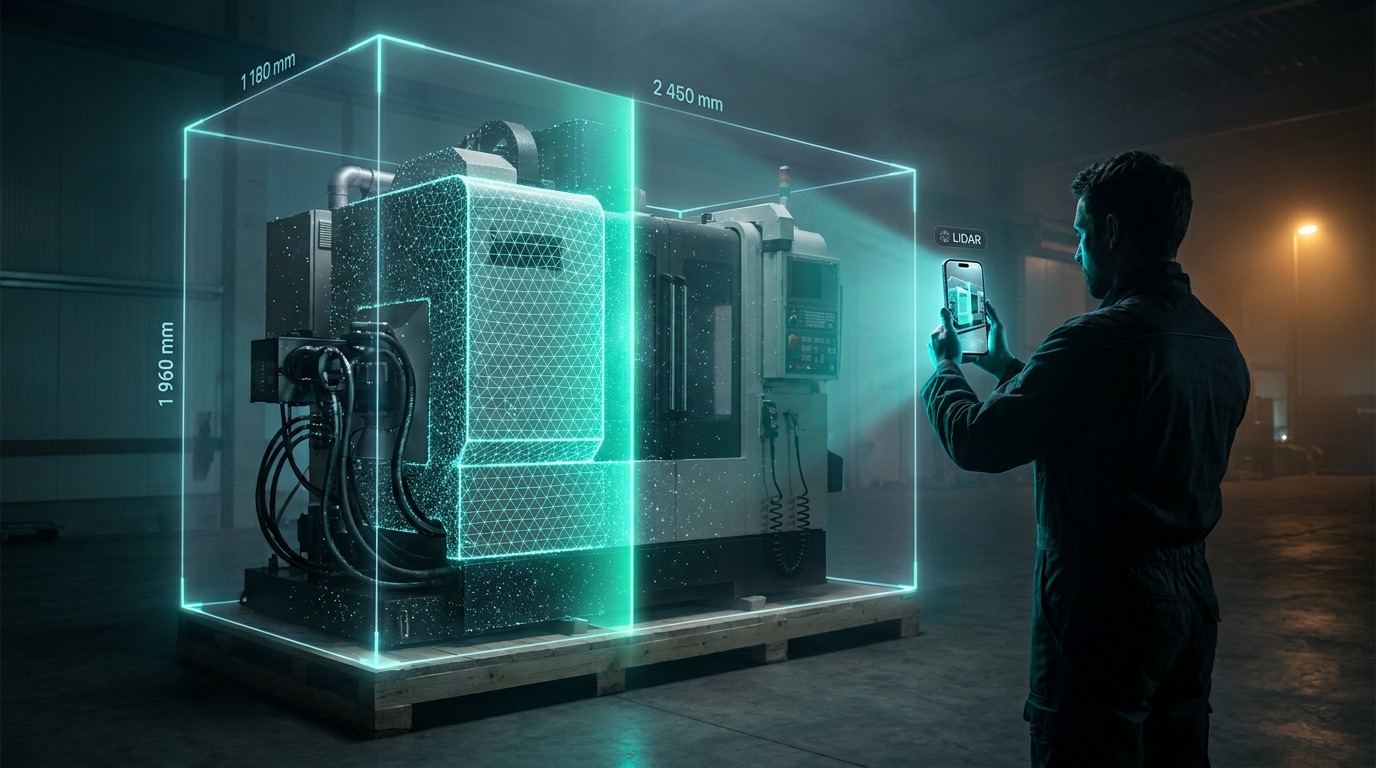
duveka Aufmaß places an AR box around your packing good: set three points, the LiDAR sensor checks to the centimeter, photos and a 3D model are added automatically. Watch the flow on the iPhone.
Corner, corner, height – and the box is in place. The LiDAR sensor checks the dimensions, you decide what to keep. One tap and the packing good is in Business Central – with photos and the 3D model in the DMS.
 Uses the LiDAR sensor of iPhone Pro models
Tap the first corner, then the opposite corner, and drag up the height — and an AR box sits around your machine, component or pallet. The LiDAR sensor of the iPhone Pro checks the dimensions to the centimeter; fine-tune any side with the ±1 / ±10 mm buttons. You decide what is kept — the measurement stays traceable.
With every measurement the app stores photos, a description, the GPS location and a colored 3D model from the scan. Everything is neatly filed in the archive on the device, sorted by day — and transferred when you want: one by one or all at once.
One tap in the app — and the packing good is in Business Central: dimensions, photos, location and the 3D model from the iPhone scan, right on the duveka packing good card. Rotate the model, show or hide box & dimensions and switch between photo model and LiDAR view.
Sign in with your Microsoft account, tap "Send to Business Central" — and the measurement is created as a packing good on the duveka packing good card, with dimensions in your company unit of measure. Photos and the 3D model land in the duveka DMS, and the 3D viewer shows the scan right on the card, with box and dimensions on demand. Corrections made later in the app update the existing packing good instead of creating a duplicate.
From the packing good it continues seamlessly: the packaging configuration of duveka Packaging calculates the matching crate — with 3D view and drawing — all the way to the quote. No retyping, no transposed digits, one flow. Requirements: an iPhone Pro with LiDAR sensor and Business Central with duveka Packaging and duveka DMS. The app is available on the Apple App Store.

Karina Hantel – Sales
kha [at] duveka.de
+49 160 254 5391
Contact us for a no-obligation consultation.